


Refund Adaptive Chained
Payment
Adaptive
payments handle payments between a sender of a payment and one or more receivers
of the payment. You are an application owner, such as a merchant that owns a website,
the owner of a widget on a social networking site, the provider of a payment application
on cell phones, and so on. Your application is the caller of Adaptive Payments
API operations.
How to refund adaptive chained
payment in PayPal sandbox account using API & SDK?
Step: 1
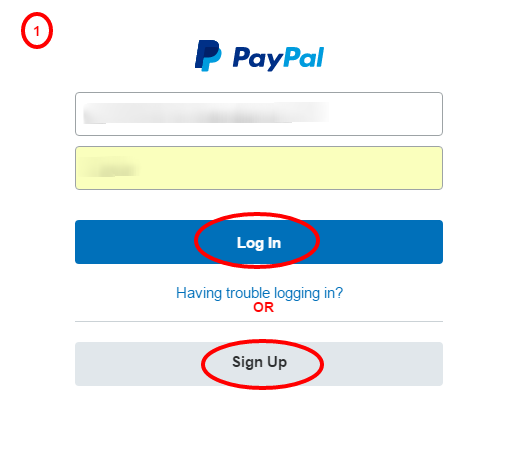
Login/Register in PayPal Sandbox Account
Step: 2 after
login go to Profile page by clicking on "Profile" in right side.

Step: 3
Click on "API Access" to get API signature credentials

Step: 4 go
to section "API Integration" and click on API credential & you
can generate API credential by clicking.

Step: 5 on
this page all credentials you can copy & paste and also use in you application
to integrating PayPal adaptive chained payment.

Step: 6 Make
payments as per your system with adaptive chained payment

Refund Chained Payment
Now start
refund payment process - How to refund adaptive chained payment from receivers
in sandbox PayPal account
Note: - A
receiver can grant you third-party access to make a refund by logging in to
PayPal, choosing API Access on the Profile page, then clicking the link to
Grant API permission and selecting Refund after clicking Configure a custom API
authorization.
Step: 7
repeat step no. 2, 3 to continue
Step: 8 on
this page click on Add/Edit API permission

Step: 9
Click on "Add new 3rd party" by clicking on it will be redirect to
"Add New Third Party Permission" page

Step: 10 on
this screen you can able to add/edit your 3rd party api user name and granted
permission list.

Step: 11 if
you want refund adaptive chained payment then you required granted permission
of refund from number of receivers and click on "Save" button.

Step: 12 now
you can able to refund amount of adaptive chained payment from you application
page and request to PayPal with required parameters as per refund API & SDK
rules. And also including number receivers with mention primary receivers &
secondary receivers. All parameters are valid than refund successfully
completed otherwise return result with status/error message.


Configured
API/SDK in to your application using following code & parameters
For a full
list of configuration parameters refer in wiki page (https://github.com/paypal/sdk-core-dotnet/wiki/SDK-Configuration-Parameters)
Adaptive Chained Payment Process


